
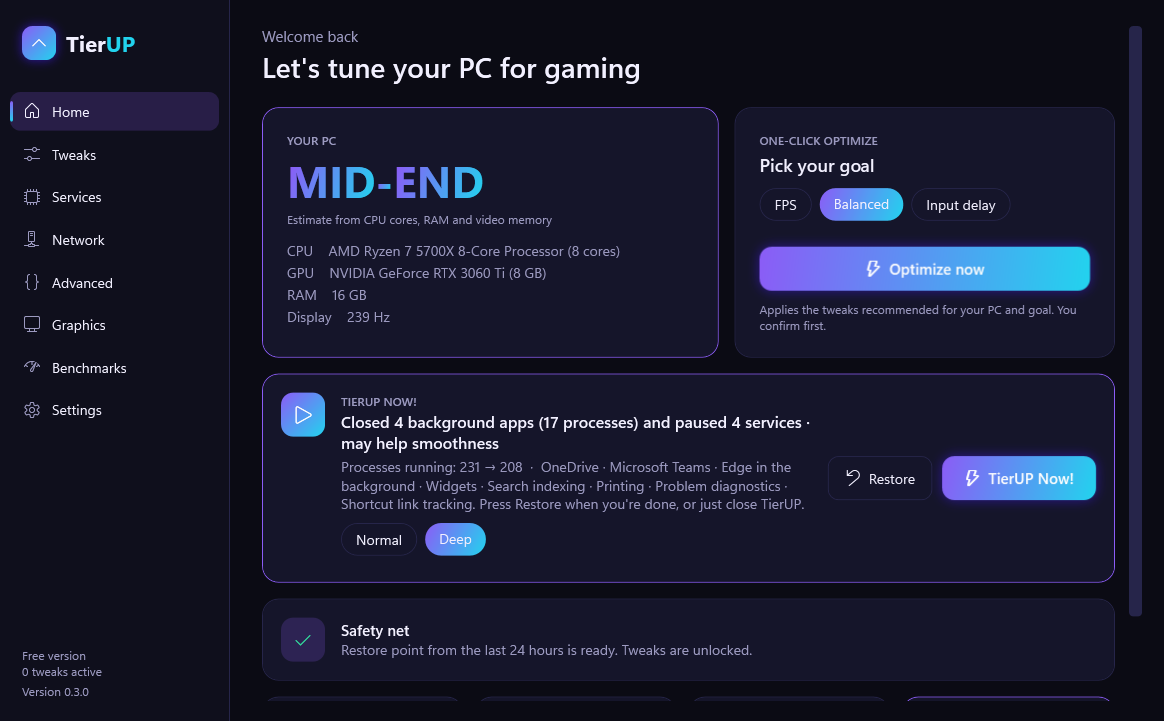
Your PC is MID-END
TierUP tunes Windows for the PC you actually have.
It scans your hardware, rates it low, mid or high-end, and suggests the Windows tweaks that suit it. Every change is saved first, so one click puts it all back.
Free version needs no account. Pro comes with a 24-hour free trial.
What it does
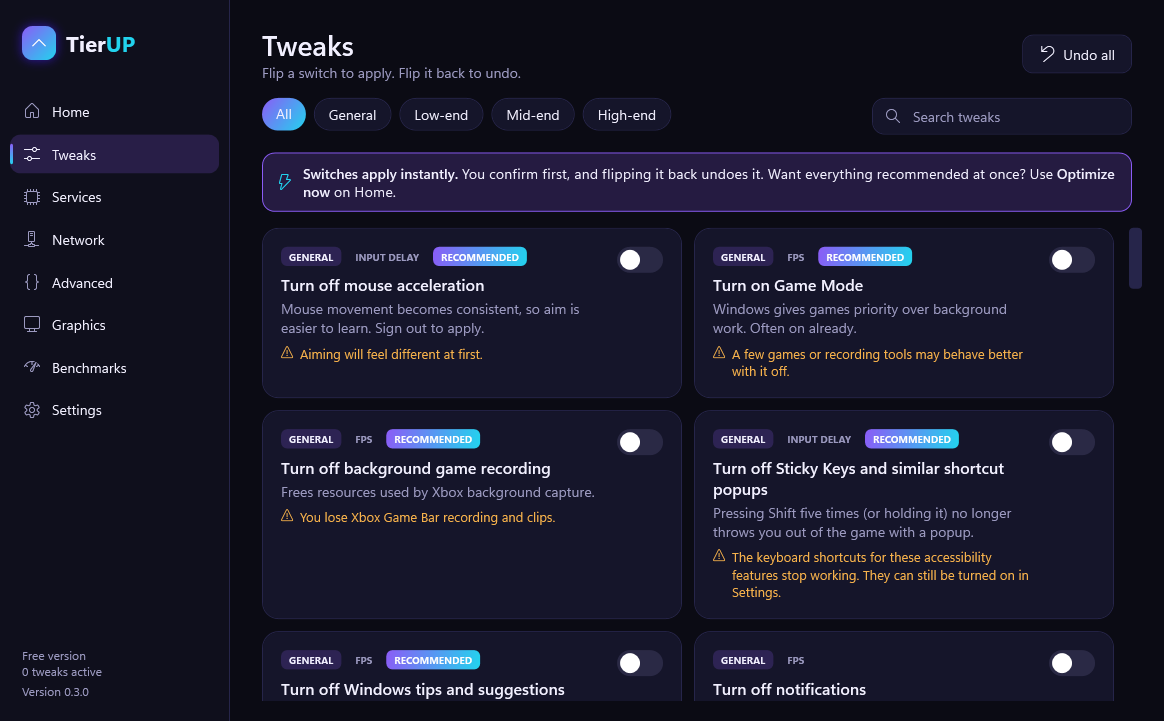
Tweaks that fit your tier
A low-end laptop and a high-end desktop need different things. TierUP sorts its tweaks into General, Low, Mid and High, plus pages for Services, Network, Advanced and Graphics. Each one says what it does and what it costs before you switch it on.
Not sure? Press Optimize now, pick FPS, Balanced or Input delay, and TierUP picks the tweaks for you. You confirm first.
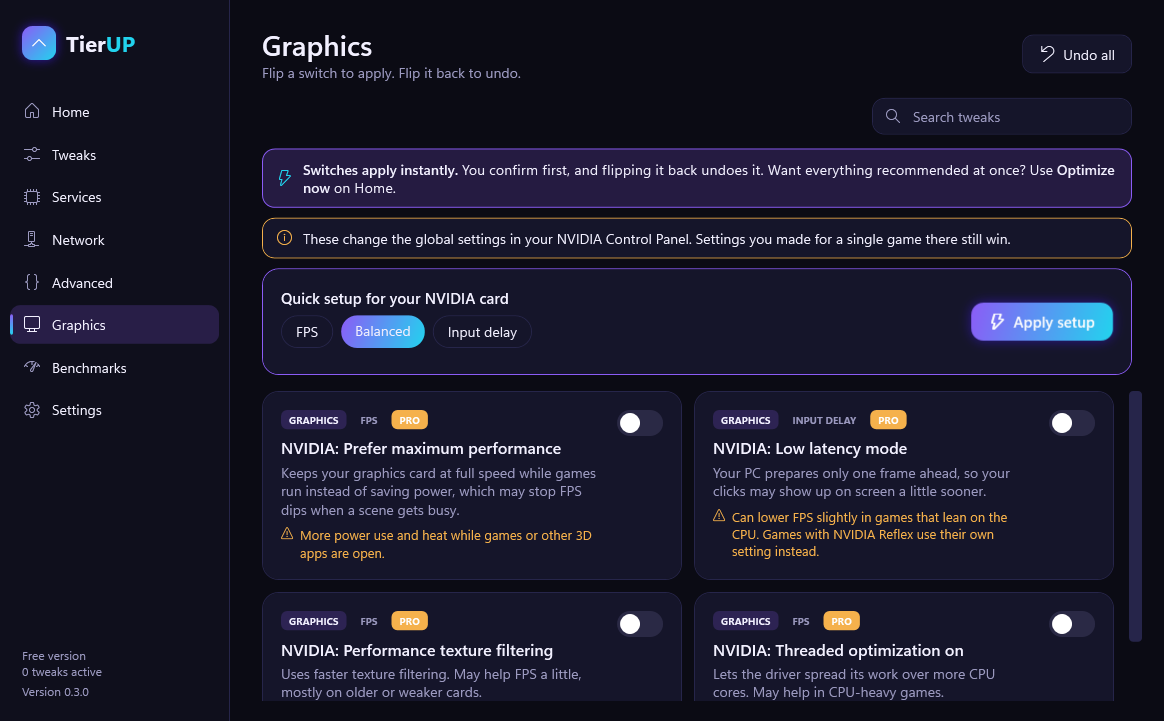
NVIDIA settings without the Control Panel maze
The Graphics page changes your NVIDIA driver settings directly: low latency mode, power management, texture filtering and more. Or use the quick setup and choose FPS, Balanced or Input delay.
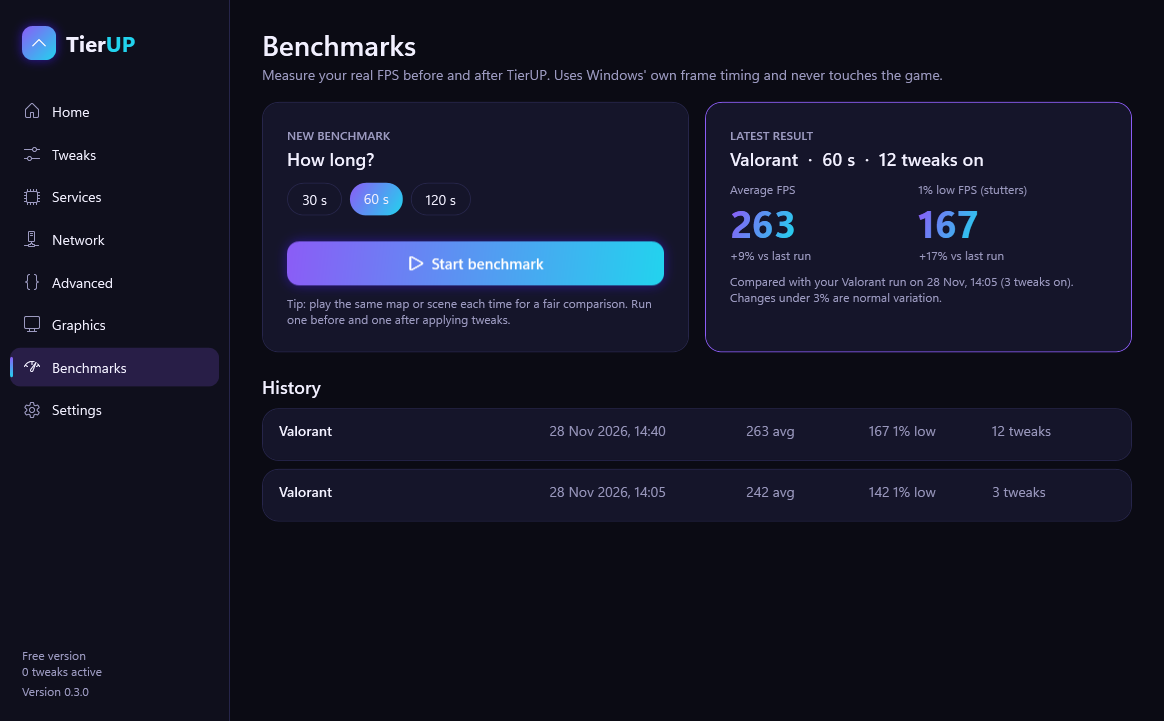
Measure it yourself
Run the built-in FPS benchmark before and after. It reads Windows' own frame timing data, so you see real numbers from your games instead of promises.
Plus a free Clean up for temp files and 6 color themes.
TierUP Now!
Before you play, one button closes background apps and pauses services you don't need while gaming. Press Restore when you're done, or just close TierUP.
Closes common background apps and pauses two busy services.
- OneDrive
- Microsoft Teams
- Edge in the background
- Widgets
- Phone Link
- App updaters
- Search indexing
- Printing
Only apps on TierUP's safe list are closed. Games, your browser windows and anything security-related are never touched.
Inside the app
Free vs Pro
Free
€0
- General tweaks
- FPS benchmark
- Clean up
- 6 color themes
- Restore point and undo all
Pro
€15 / month or €70 once, for life
- Everything in Free
- Low, Mid and High tier tweaks
- Services, Network, Advanced and Graphics pages
- TierUP Now! Normal and Deep
- One-click Optimize
- 24-hour free trial, one PC per key
Built to be undone
- Restore point first. TierUP makes a Windows restore point before any tweak.
- Originals saved. Your settings are saved before anything changes. Undo one tweak, or all of them, in one click.
- Security stays on. Your antivirus, firewall and Windows Update are left alone.
- Games stay untouched. No game files, no game memory, nothing anti-cheat cares about. Only Windows settings you could change yourself.
- No surprises. Every tweak shows what it does and what it costs before you apply it.
Questions
Is TierUP safe?
It only changes Windows settings and makes a restore point first. Your original settings are saved, and every tweak can be undone from inside the app.
Can it get me banned in games?
TierUP never touches game files, game memory or running games. The benchmark reads Windows' own frame timing data.
How much FPS will I gain?
It depends on your PC and game, and some tweaks change nothing on some PCs. That's why the benchmark is built in: run it before and after and see your own numbers.
Windows says "Windows protected your PC" when I open the installer.
That message shows for new apps that aren't widely downloaded yet. Click More info, then Run anyway.
Can I use my key on another PC?
Each key works on one PC at a time. Got a new PC? Reset your key from your Whop orders and activate it there.
Does it work on laptops?
Yes. TierUP detects laptops and leaves out tweaks that drain the battery.
What do I need?
A Windows PC and an administrator account.
Where do I get help?
Join the TierUP Discord. In the app, Settings > Troubleshooting checks and fixes common problems and gives you a support report to paste there.